ARRIVAL

Enter the apartment

Already at the building? Choose the address in front of you and follow the route from the street gate to the apartment door.

Where are you now?

Reach the building

At the door and can’t get in? Message us on WhatsApp at +39 331 442 7003 · Emanuele and Gabriele open remotely. Urgent: +39 351 949 2462.

From the gate to the apartment

Print this page — strongly recommended

Take a paper copy with you. If your phone runs out of battery or has no signal at the gate, this sheet has everything you need — the gate code, the route, the photos and the numbers to call. There is no keybox outside, and a printed page works with no internet connection.

Street gate code
1685
Use the same code at both street entrances.

Route A · Via Giovanni da Empoli 6

A1

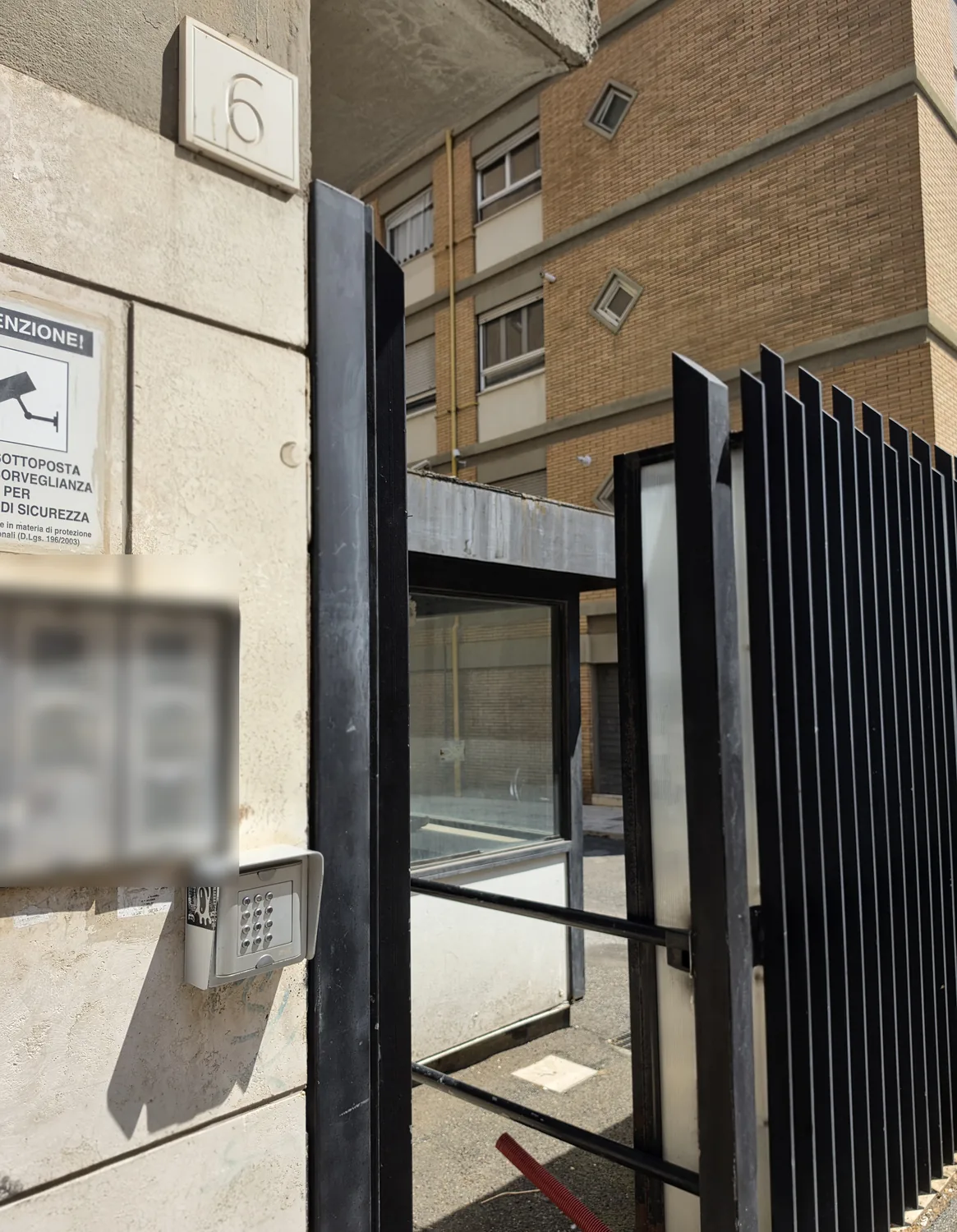
At the gate of Via Giovanni da Empoli 6, the keypad is on the LEFT. Enter 1685.
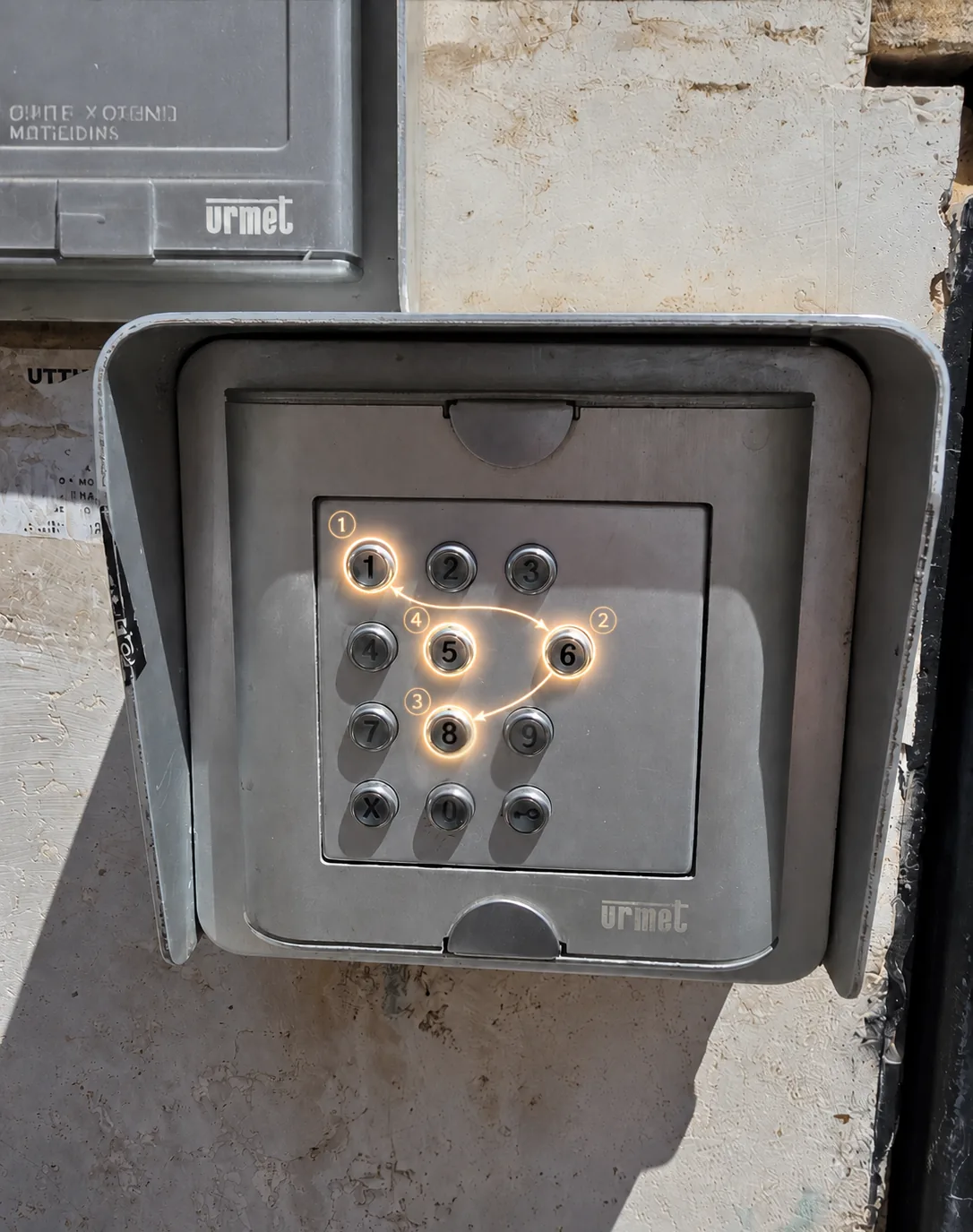
Keypad at the Via Giovanni da Empoli 6 gate

If you see the green light, push the gate gently — it opens automatically.

A2

Walk in through the gate — a small flower bed is right in front of you.

Open gate at Via Giovanni da Empoli 6 and the passage to the courtyard
A3

Just after the flower bed, turn RIGHT.

After the flower bed you turn right, onto the path
A4

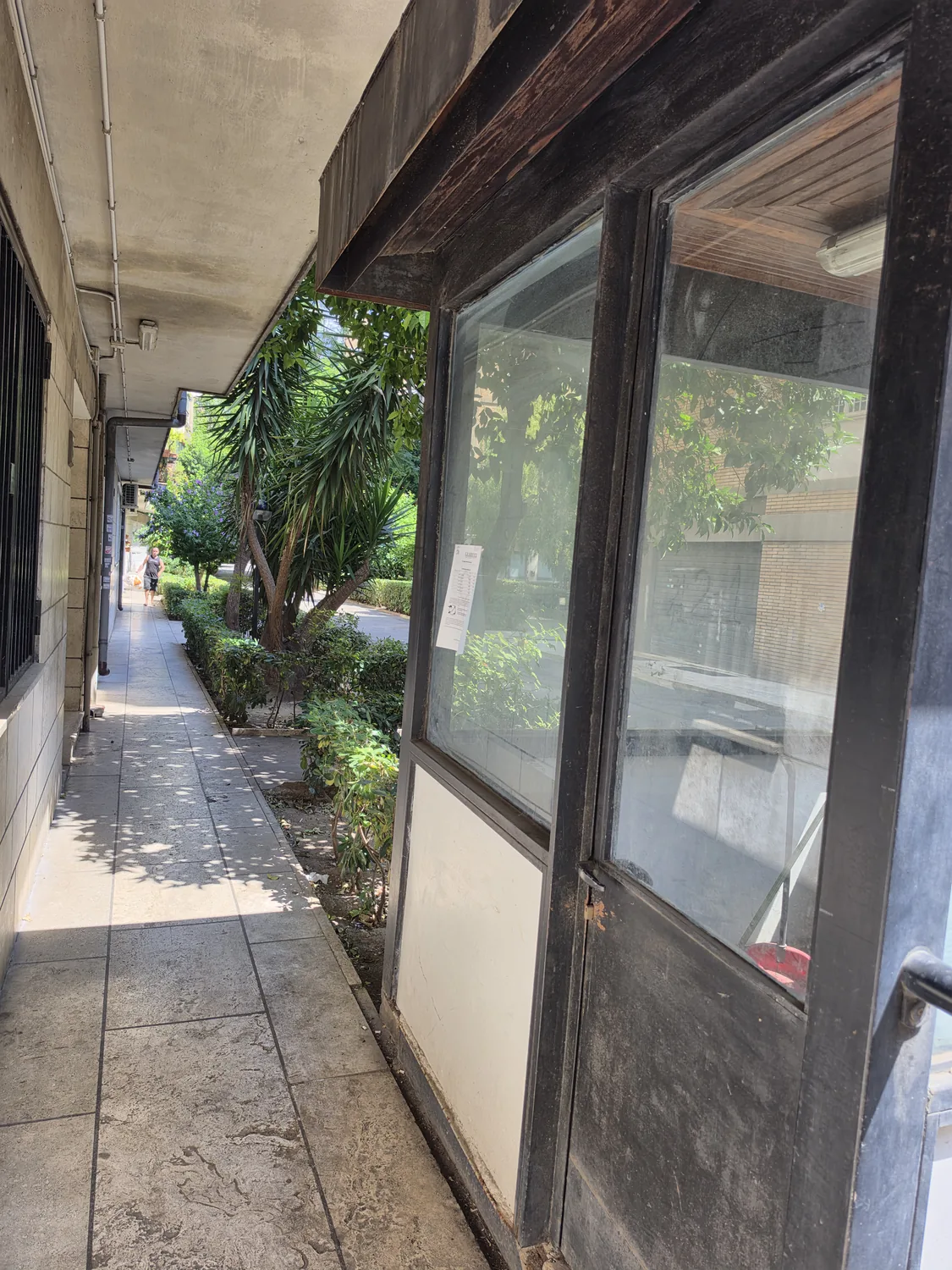
Now the garden is on your LEFT. Scala C is the first entrance on your right.

Garden on the left: Scala C is the first entrance on the right
A5

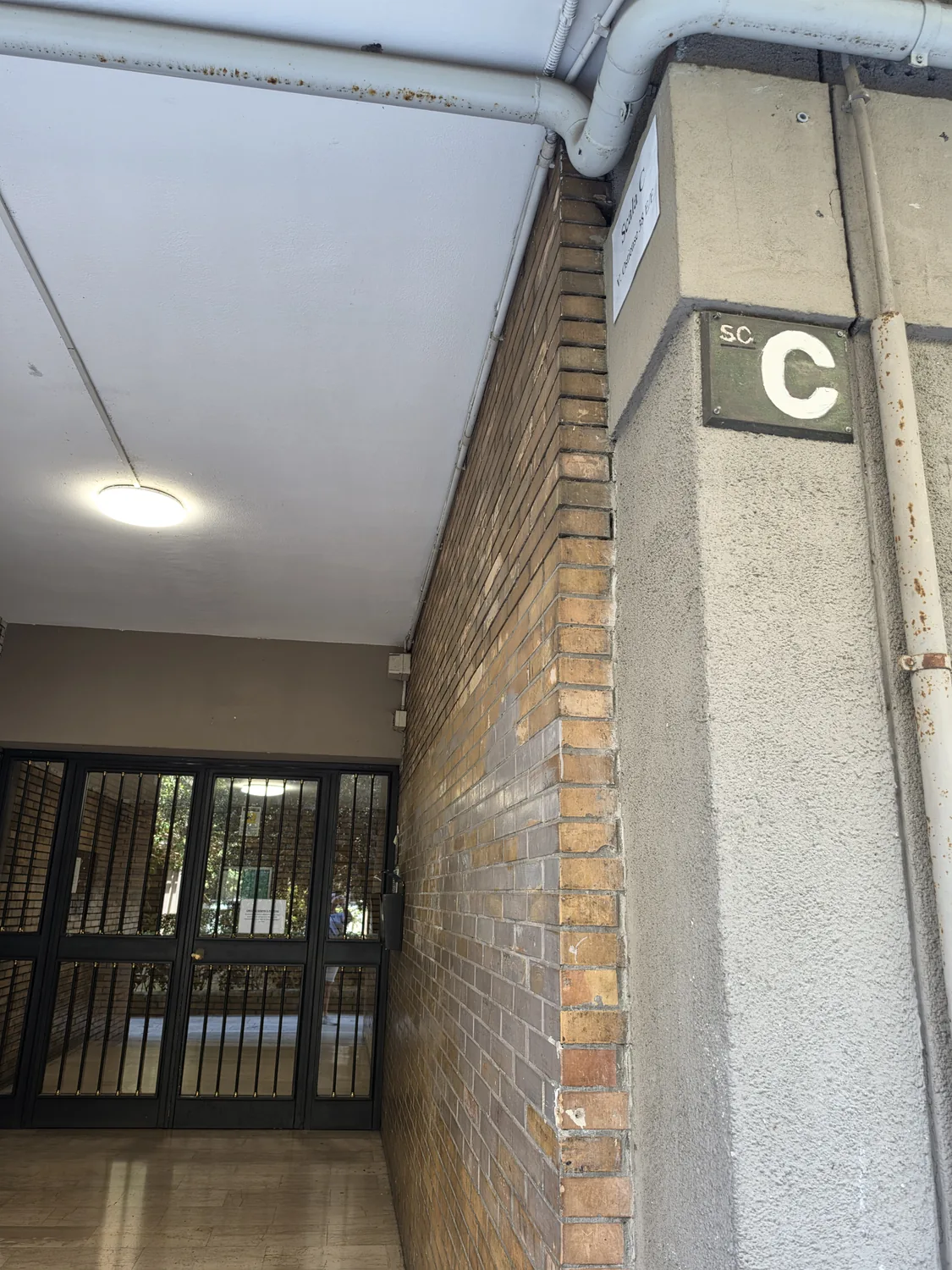
Stop at Scala C — it's the first door on your right. Look for the "Scala C" sign.

Scala C plaque at the entrance of the building
⚠ Heads up: there is a second "Scala C" further inside the complex — ignore it. Yours is the first one you meet on this path.

Route B · Via Ostiense 38

B1

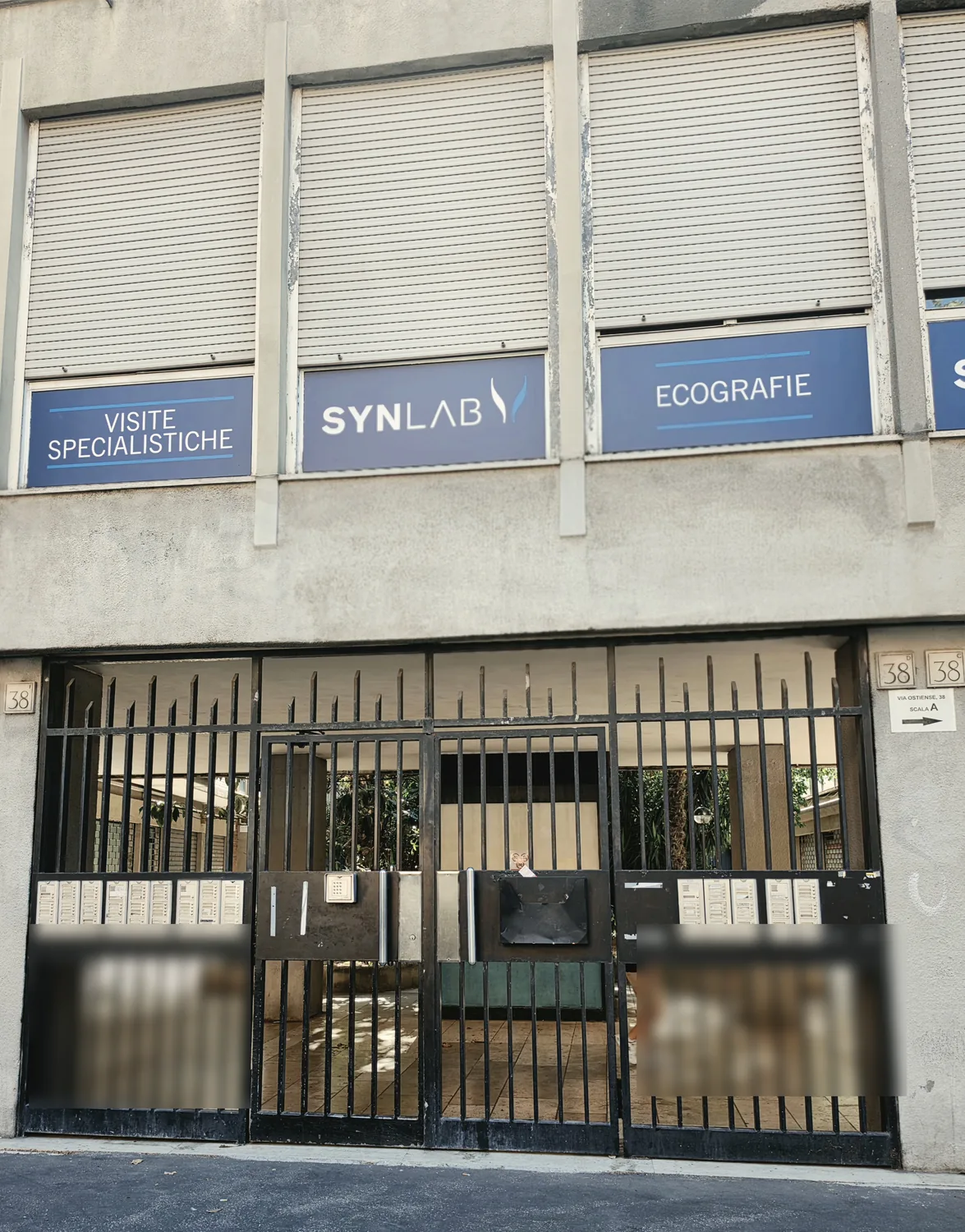
At the gate of Via Ostiense 38 EF, enter 1685 on the keypad.

Via Ostiense 38 gate — SYNLAB sign, keypad, letterboxes
B2

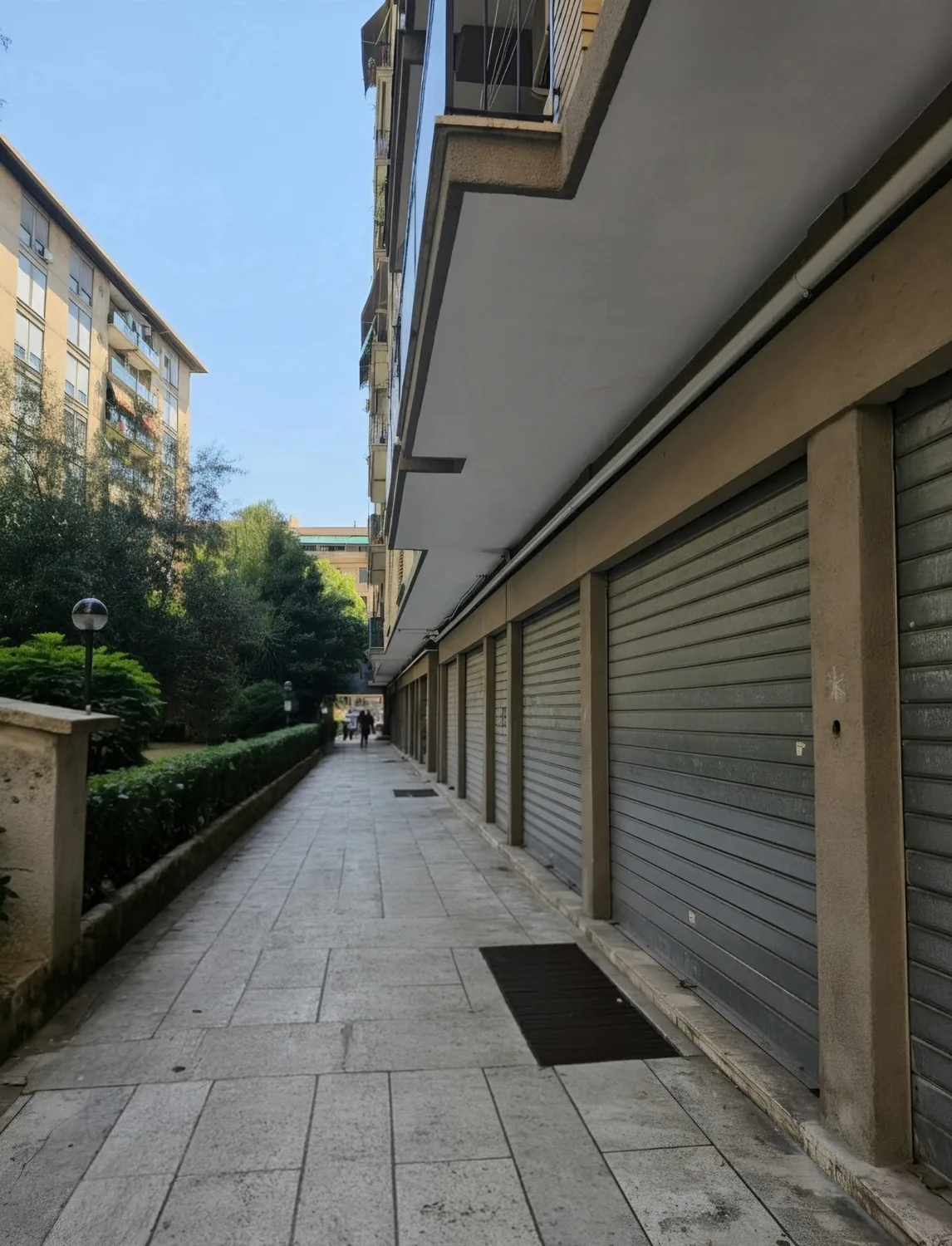
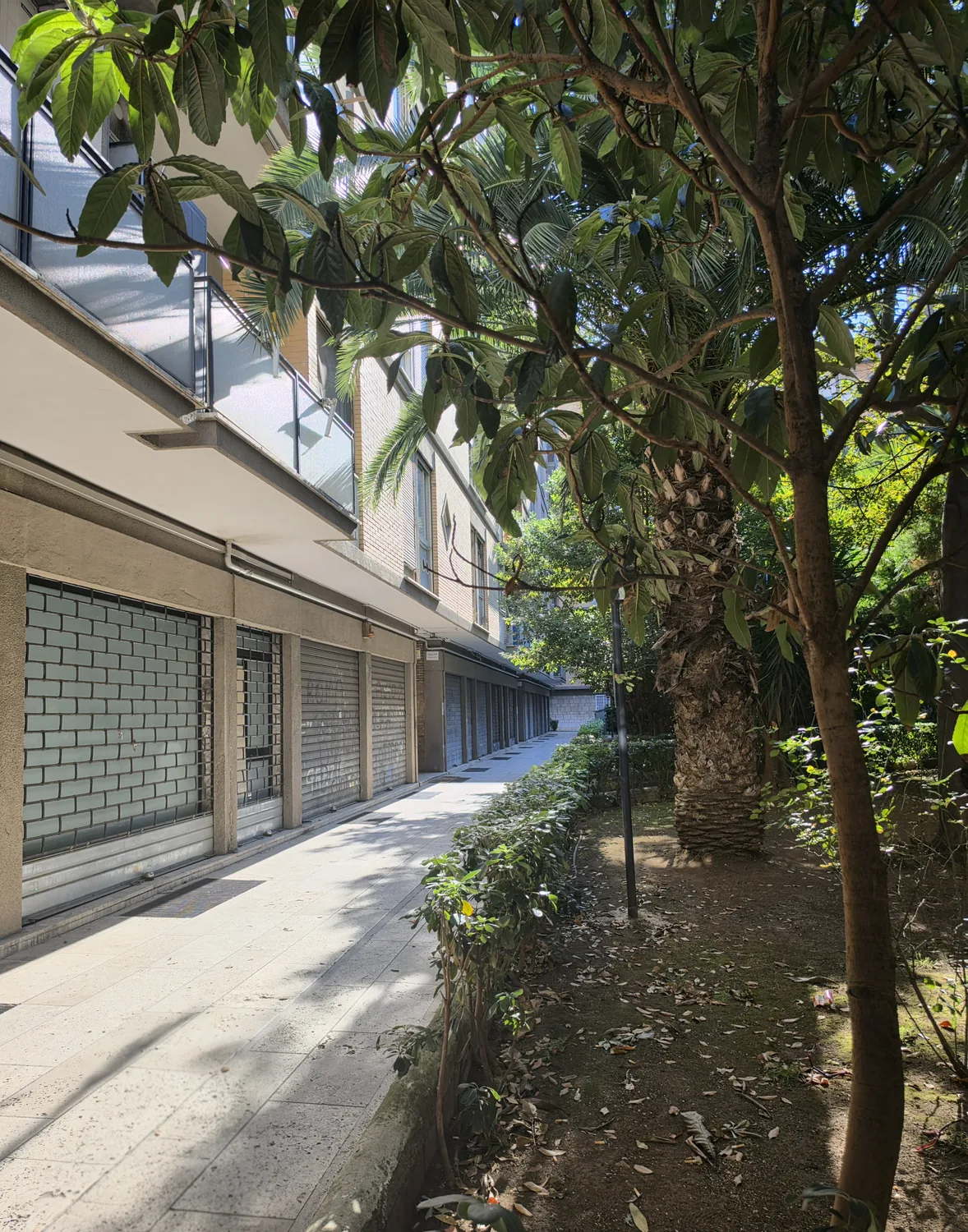
Take the path on the LEFT — the garden is on your right.

Narrow path on the left, garden on the right, towards Scala C
B3

Scala C is the second building entrance on your left. Look for the "C" sign.

Scala C entrance, the second building entrance on the left from the courtyard, with the C sign
⚠ Heads up: the second "Scala C" in the complex is NOT yours — yours is the one reached via this path. If you are not sure, message us on WhatsApp using the number above ↑.

From the building door to the apartment

C1

At the entrance door of Scala C, use the opening code we sent you and/or the keys we gave you.

We send the opening codes within the 24 hours before arrival and give you the keys — either one opens the door.
C2

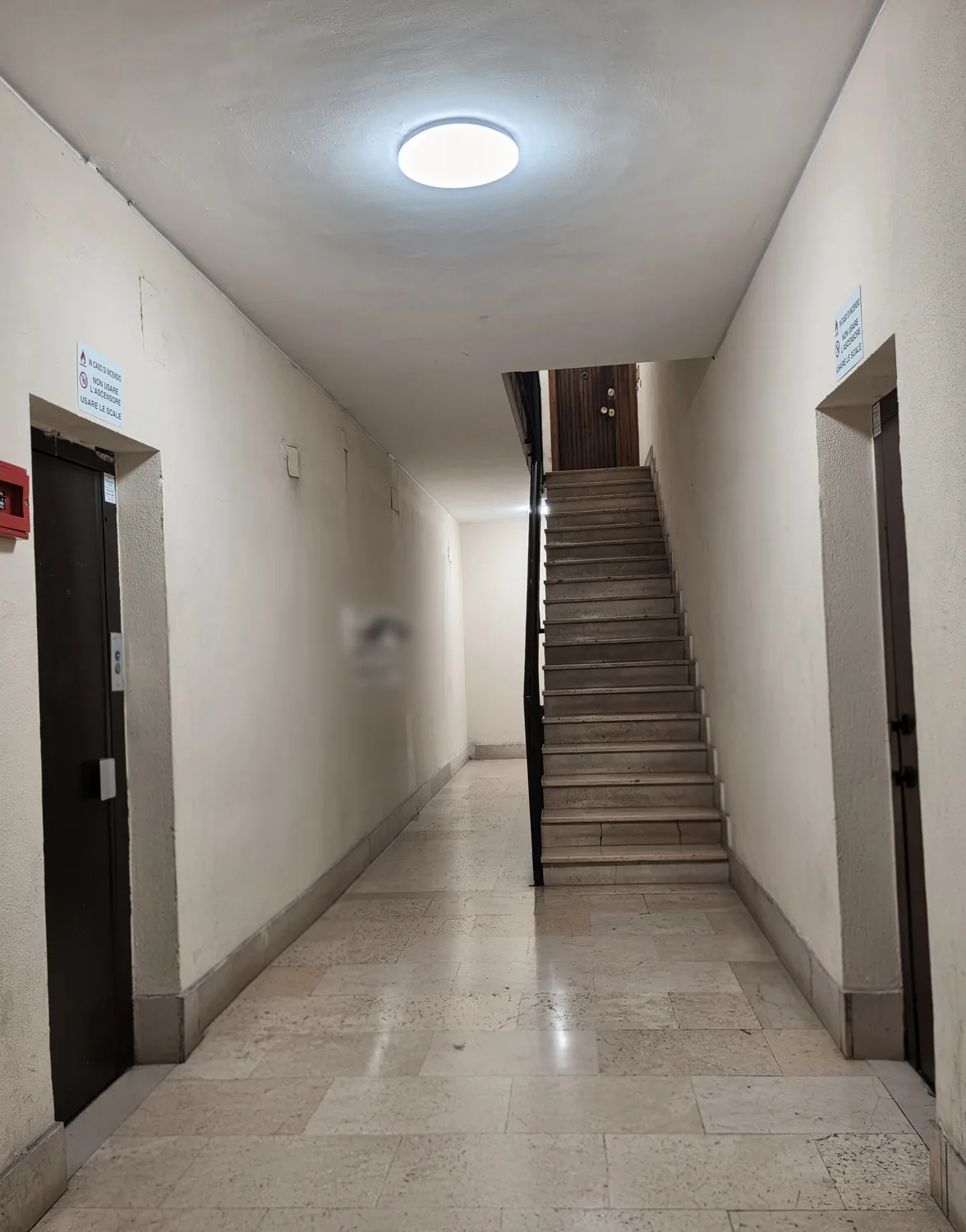
In the hall you'll find two lifts — both go up to the 7th floor, so take whichever you like.

The two lifts in the hall, left and right of the stairs — both go up to the 7th floor
C3

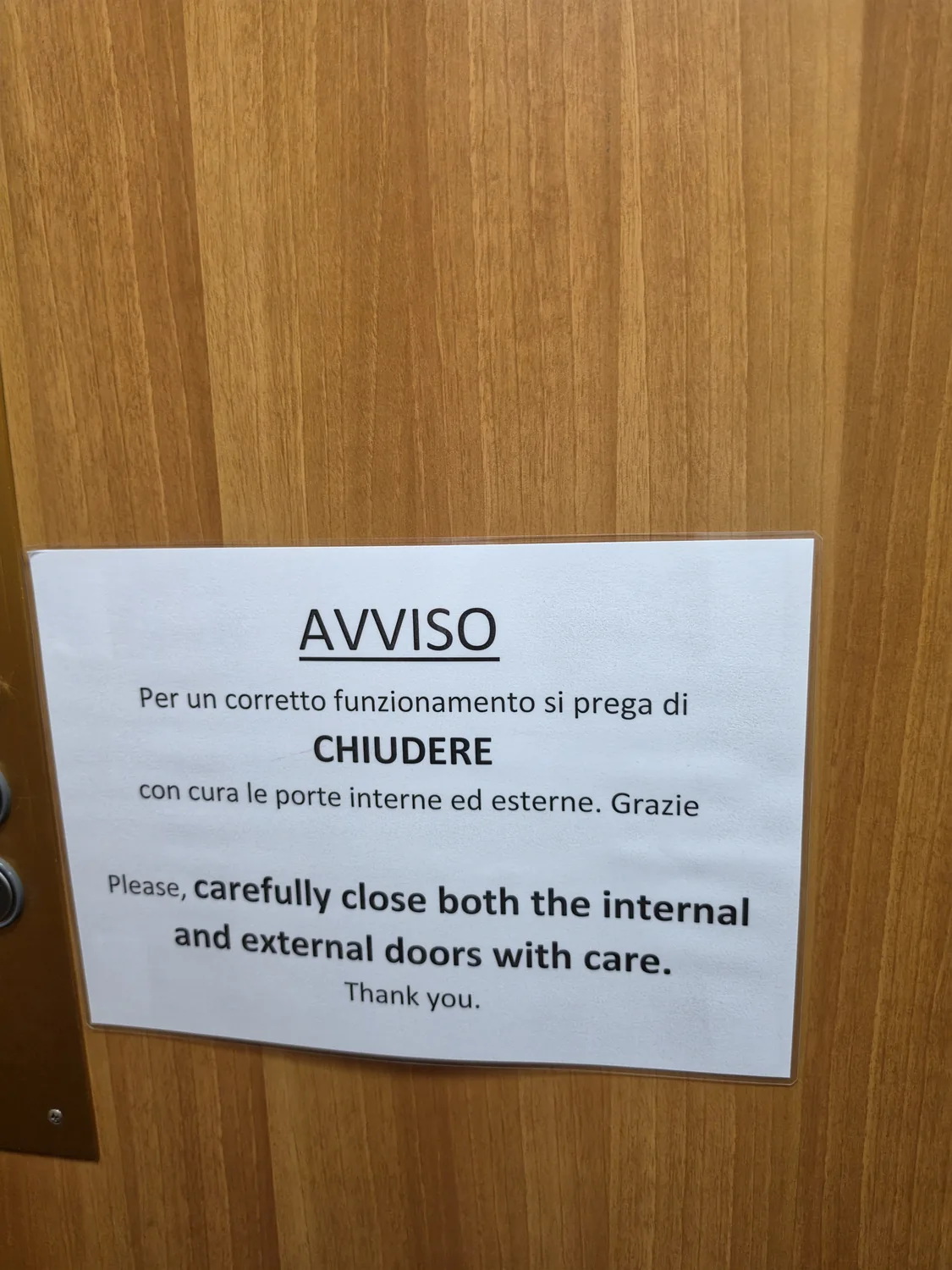
Inside the lift, close both doors completely — the inner and the outer one — or the lift won't move.

Notice in the lift: close the inner and outer doors properly

There's a sign inside the lift reminding you — it won't start until both doors are fully shut.
C4

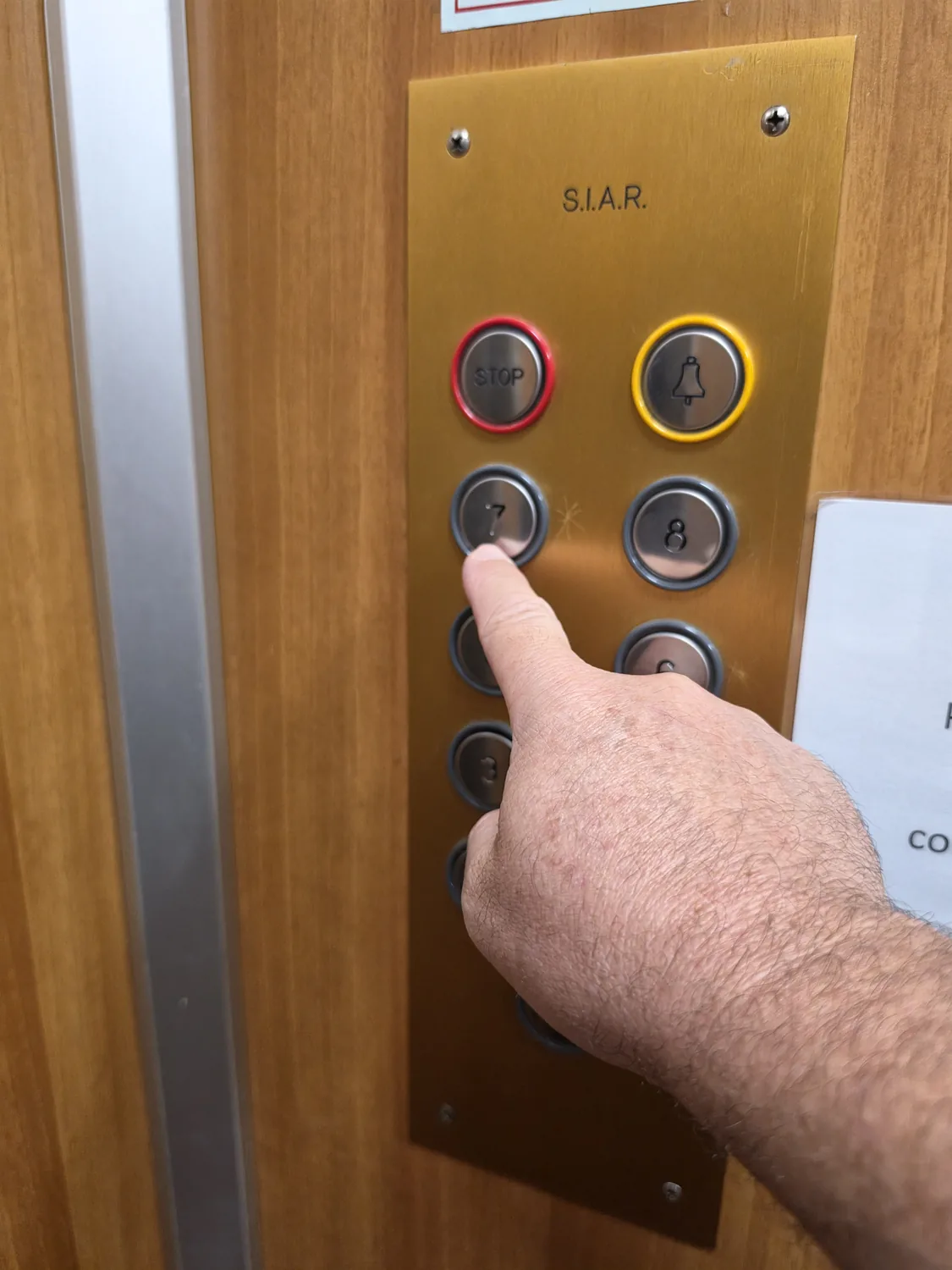
Take the lift to the 7th floor — press 7.

Lift buttons, a finger pointing at button 7
C5

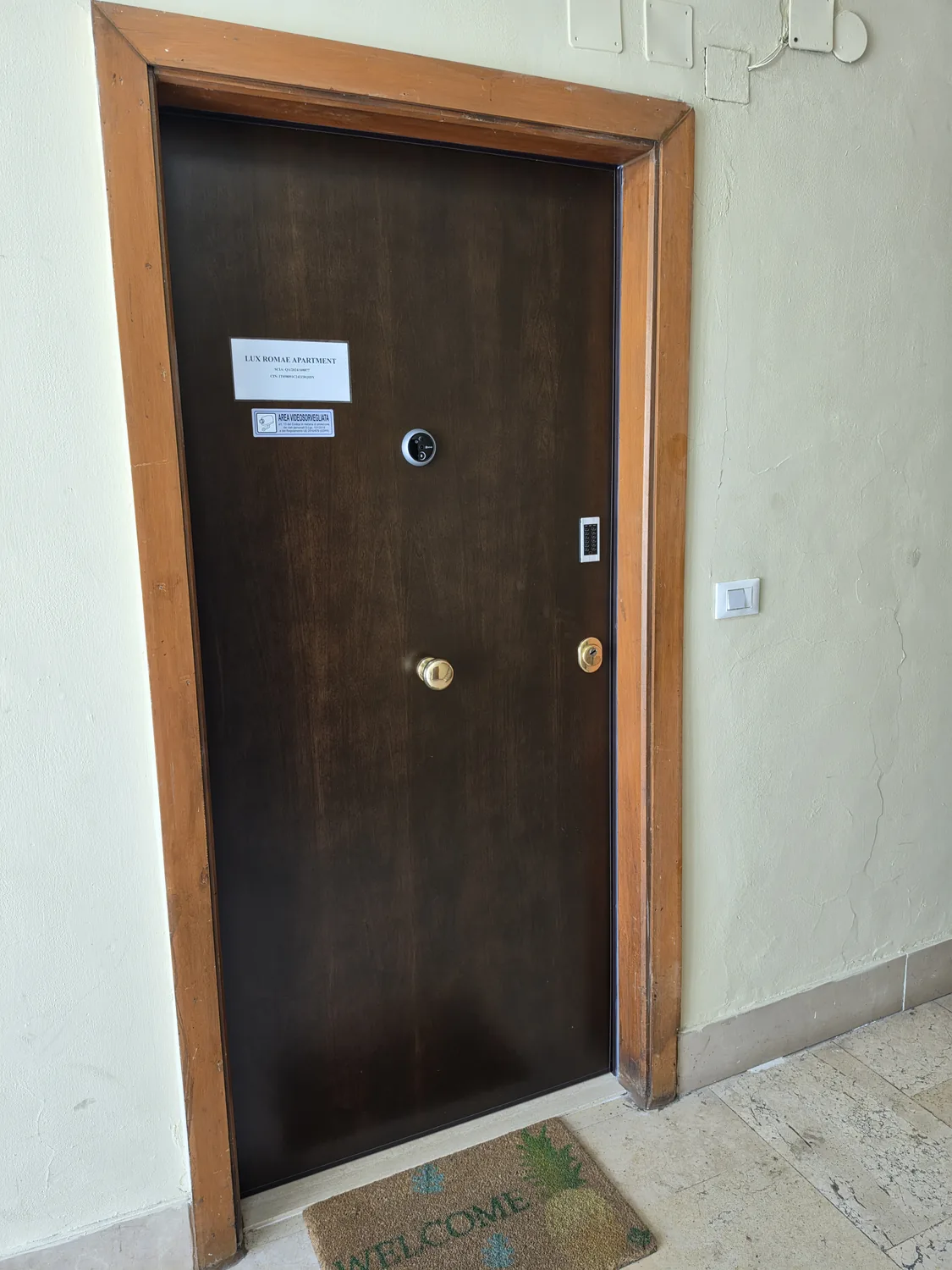
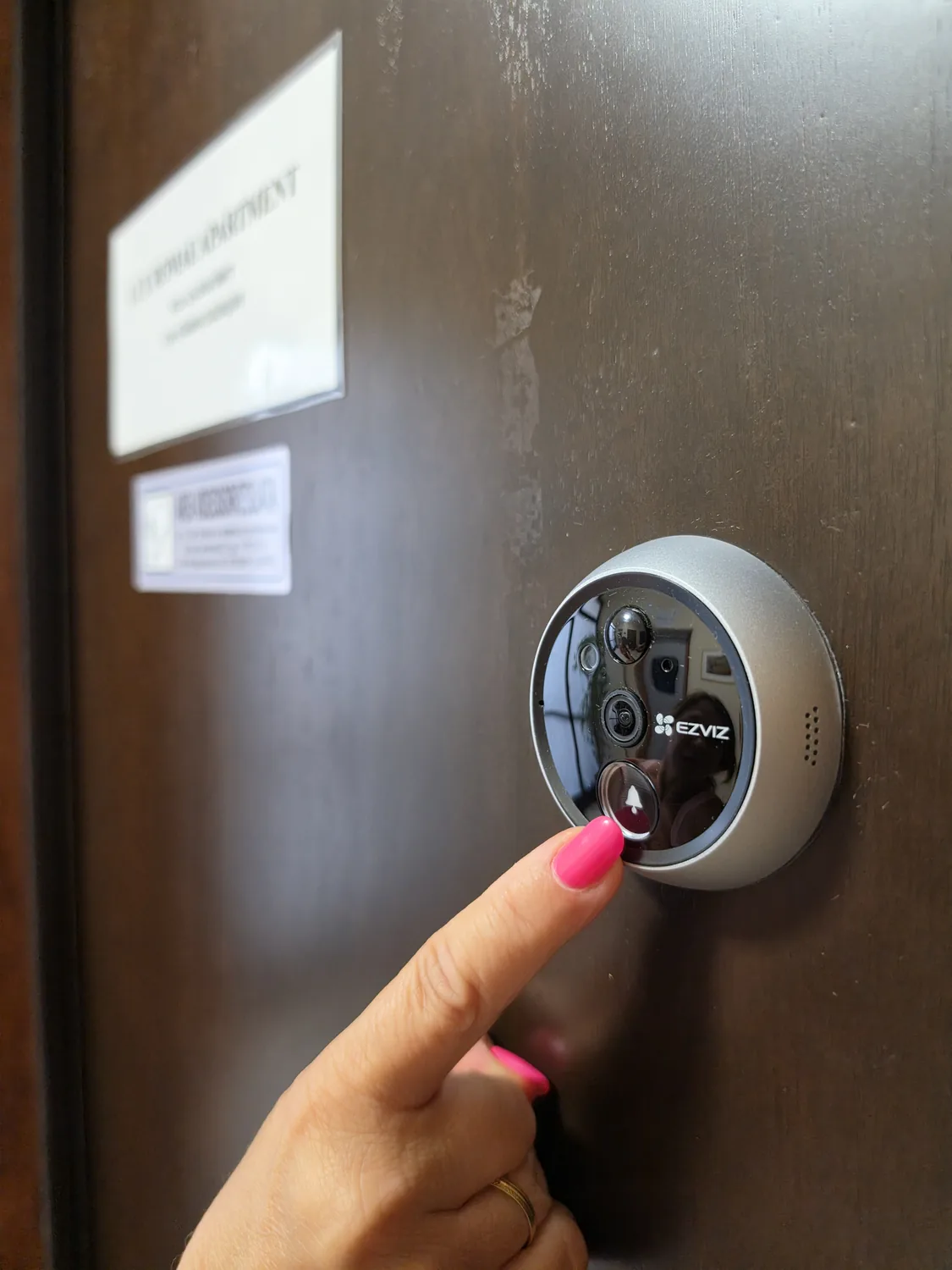
You're at the apartment door! Open it with the code we sent you and/or the keys. If a code doesn't work, or you simply need us, ring the doorbell on the digital peephole: it starts a video call and one of us can let you in.

The apartment door on the 7th floor with the digital peephole and doorbell
A finger pressing the doorbell on the digital peephole to start the video call

If you need help at the door

The digital peephole is practical door assistance only: use it if an access code doesn't work or you need help getting in, and one of us will answer and open for you. Nothing has to be shown or verified at the door — identity verification is completed earlier, during the Vikey online check-in.

For how your data is handled, see our Privacy Policy.

If anything goes wrong at the door — a code that does not work, a phone with no signal — ring the peephole and we will open for you. You are nearly home. — Emanuele

We open the door. Welcome home.

If the camera is offline or nobody answers within 2 minutes, use the numbers above ↑ and one of us will open for you.

Online check-in and your access codes

Complete the online check-in through Vikey before you travel, following the instructions you receive: Vikey asks you to upload the required identity documents and take a selfie to complete identity verification. Once that verification is complete, the codes to open the building door and the apartment are sent within the 24 hours before arrival — through Vikey, Airbnb messaging or WhatsApp, depending on how you booked, so check the channel your reservation uses. Travelling from outside the EU? Upload only the passports of all guests staying in the apartment.